
Screen Capture Prevention
(Coming Soon)
Strengthen Workplace Compliance with Independent Screen-Capture Prevention and Auditing
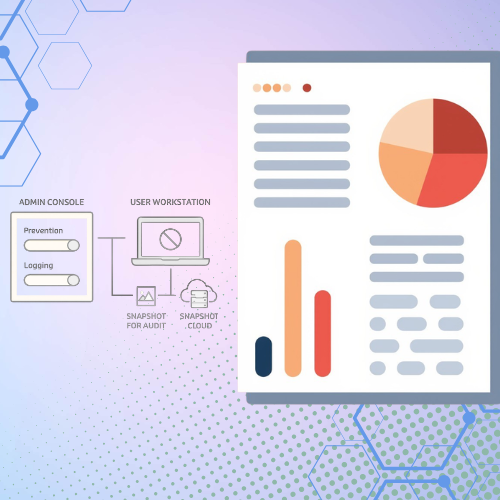
Screen-Capture Prevention equips administrators with the tools to manage and restrict screenshot operations across user workstations. Through a centralized console, you can apply custom policies to specific users or groups—choosing to block captures entirely, log every attempt, or both. For complete oversight, the system can even archive a snapshot of the captured area, providing your organization with a definitive audit trail to prevent data leaks and ensure compliance.
Proactive Screen-Capture Prevention
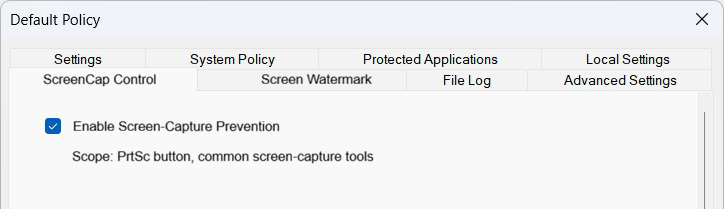
Maintain absolute control over how data is viewed and shared. Administrators can restrict the use of the physical “Print Screen” key and block popular third-party screen-capture applications. This ensures that sensitive information on the screen cannot be digitized and taken off-site.
Independent Operational Logging
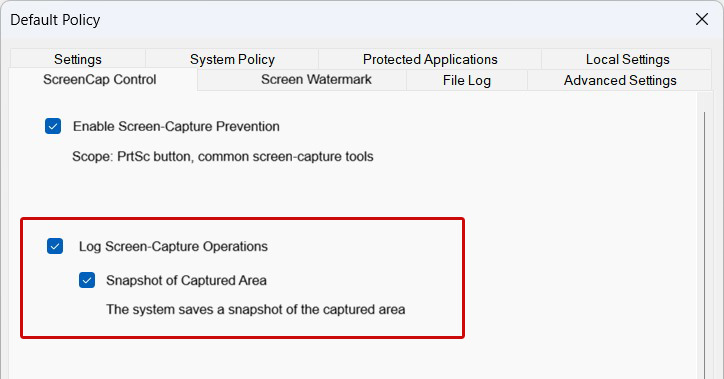
The system offers unique flexibility by keeping prevention and logging as independent functions. Depending on your internal security policy, you can choose to block attempts silently, log attempts without blocking, or enable both for maximum oversight.
Snapshot of Captured Area
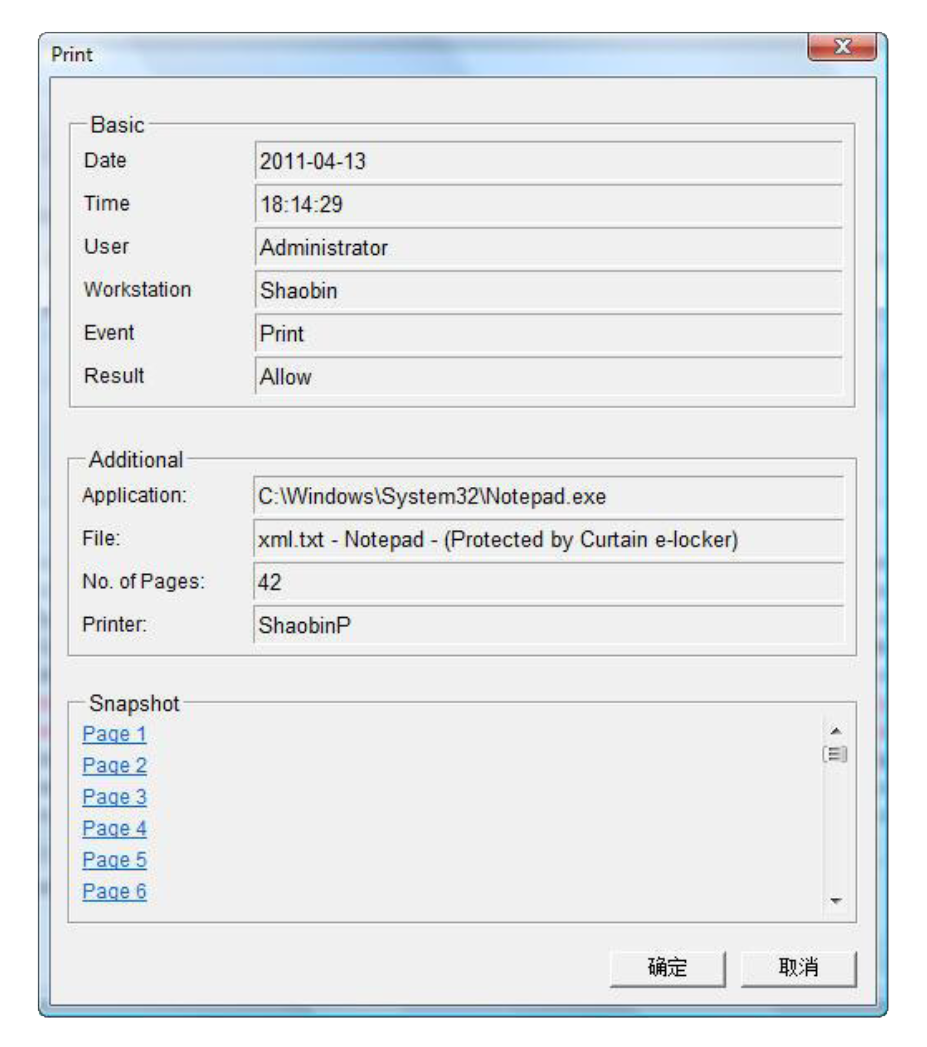
When logging is enabled, you can activate the Snapshot feature to capture exactly what the user tried to record. This provides a clear visual evidence trail for forensic investigations, ensuring that “how” and “what” was captured is never in doubt during an audit.
Practical Examples
To help you choose the right configuration for your team, here are two common ways to implement Screen-Cap Control:
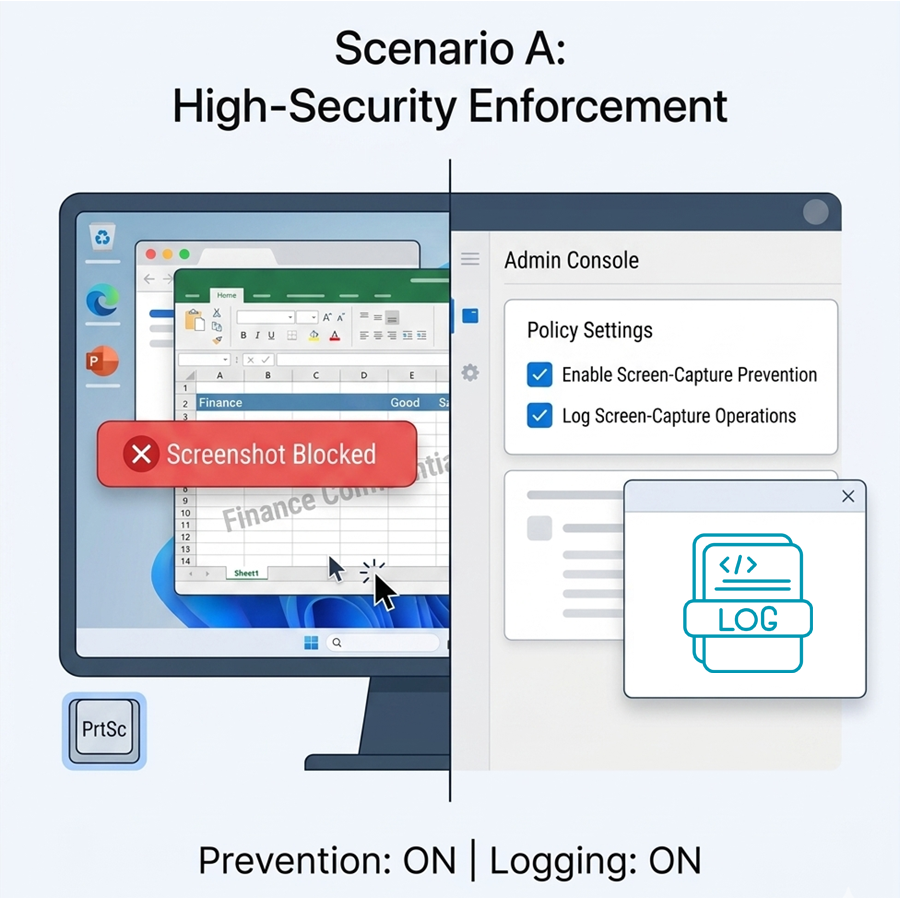
Scenario A: High-Security Enforcement (Prevention + Logging)
If a user in the Finance or R&D department attempts to take a screenshot, the operation is immediately blocked. Simultaneously, the system generates a log entry. This is ideal for protecting Intellectual Property (IP) and sensitive financial data.
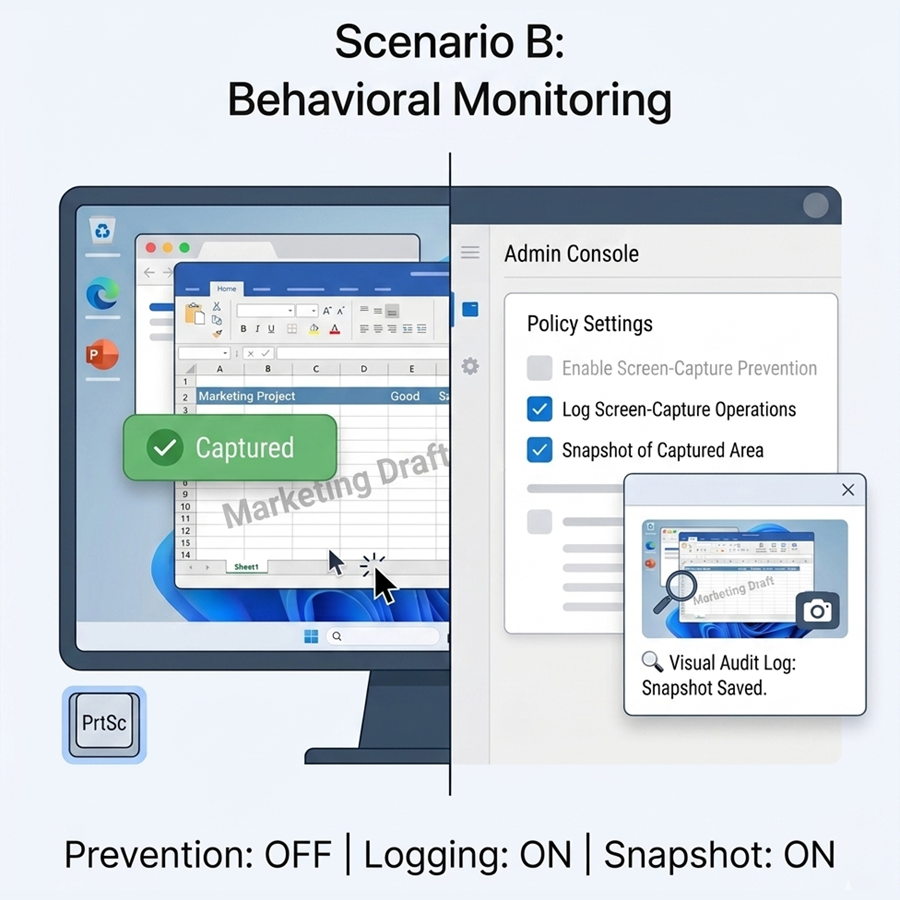
Scenario B: Behavioral Monitoring (Logging + Snapshot Only)
In departments where workflow flexibility is required, you can disable Prevention but keep Logging and Snapshot active. Users can still take screenshots, but the system creates a visual record of every capture. This allows for a “trust but verify” approach, providing evidence if a data breach occurs.
Benefits

Granular Control Over Data Visibility
Administrators can precisely manage screen-capture permissions for specific users or groups. This allows your organization to prevent unauthorized snapshots of sensitive information on workstations without affecting the workflow of trusted departments.

Independent Prevention and Audit Flexibility
The system offers complete operational freedom by separating prevention and logging functions. You can choose to block screen captures entirely, simply monitor them for behavioral patterns, or do both simultaneously to match your specific security policy.

Enhanced Forensic Evidence with Screen Snapshots
Beyond simple activity logs, the Snapshot of Captured Area feature provides a visual audit trail. By storing an exact copy of what was captured, your security team has definitive evidence for investigations and compliance reporting.

Feel Interested? Contact Us For Details.