
Curtain Frontier DRM
Frontier DRM safeguards your information beyond your borders
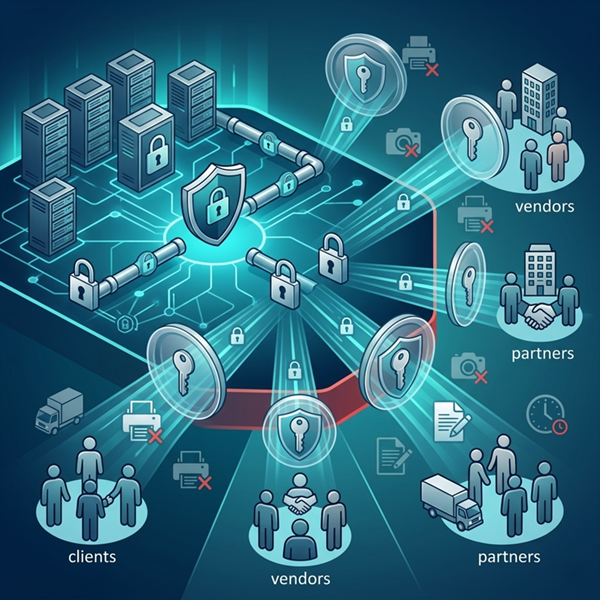
Curtain Frontier Digital Rights Management (DRM) extends your data security policies outside your corporate network. It allows your organization to securely share confidential documents with external users—such as clients, vendors, and partners—while maintaining absolute control over how your files are accessed and utilized.
Features
Secure External Collaboration
Share sensitive files with external stakeholders without the risk of data leakage. Frontier DRM creates a secure viewing environment for recipients outside your internal network.

Granular Rights Management (Set Control Policy)
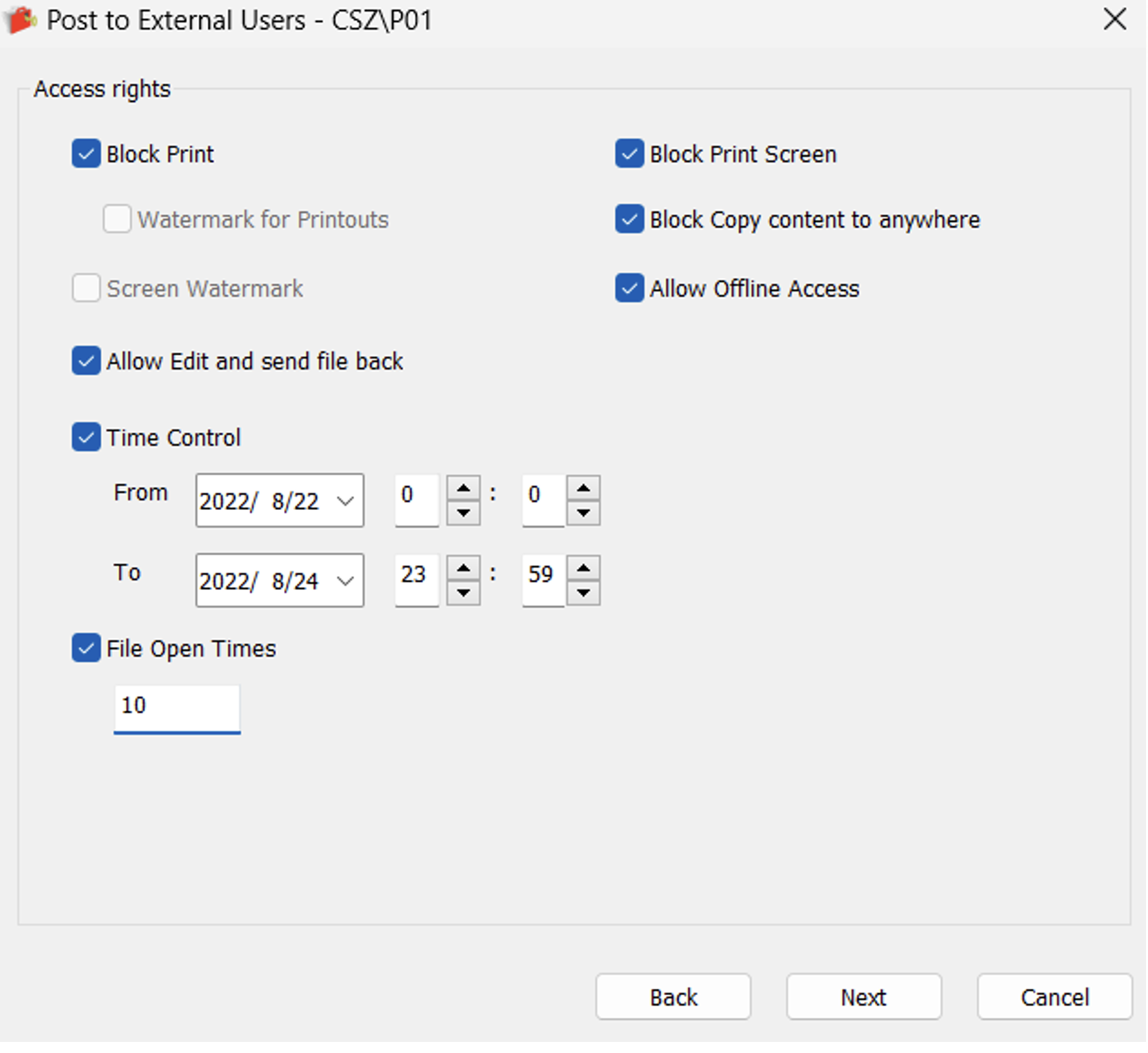
Offline Access: Decide whether to allow file access in environments without an active internet connection.
Define Strict File Permissions: Customize and enforce exact access rights for every document shared with external parties.
Block Unauthorized Actions: Administrators and publishers can easily restrict high-risk behaviors with a single click:
Block Print: Disables the ability to create physical or digital printouts.
Block Print Screen: Prevents screen capturing via the Print Screen key or third-party tools.
Block Copy content to anywhere: Stops users from copying and pasting text or data out of the secured file.
Advanced Operational Controls:
Time Control: Set a precise validity window with specific start and end dates and times.
File Open Times: Limit the total number of times a document can be opened (e.g., maximum 10 times).
Edit & Collaboration: Control whether an external user can modify the document and securely send the revised file back.
Traceability with Watermarks
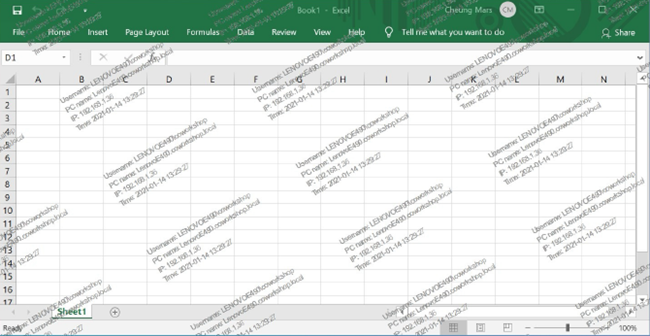
Enhance visual security by forcing Screen Watermarks during viewing and Watermarks for Printouts, ensuring data remains traceable even if it leaves the digital environment.
Controlled Offline Access & Two-Way Editing
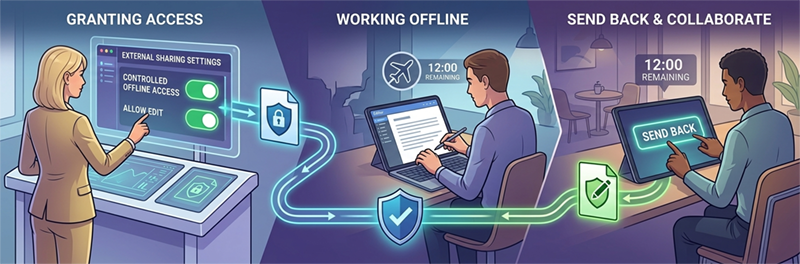
Grant trusted external users the ability to access files offline securely. For interactive projects, you can enable the “Allow Edit and send file back” feature for smooth, secure collaboration.
Streamlined Publisher Workflow
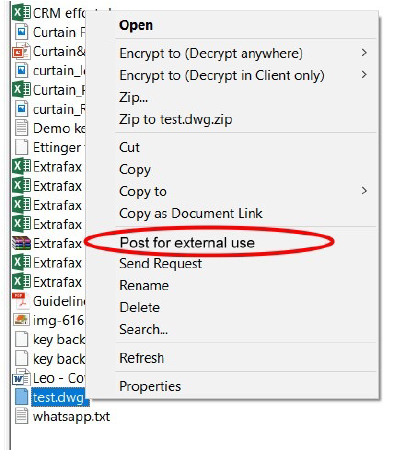
Authorized publishers can easily distribute documents directly from the Curtain Client. Simply right-click and select “Post for external use.” The system supports multiple file selection to speed up batch processing.
Benefits

Prevent Data Leaks Beyond Your Corporate Network
Maintain absolute command over your intellectual property even after it leaves your internal systems. By restricting high-risk actions like copying, printing, or screen capturing, you ensure external partners can view your data but cannot misappropriate or distribute it.

Enforce Accountability with Traceable Sharing
Reduce third-party risks effectively. With forced visual watermarks and precise time-based access limits (expiration dates and view counts), every external interaction with your documents is controlled and traceable, helping your organization meet strict data compliance requirements.
Enable Secure and Efficient External Collaboration
Security should not block productivity. Frontier DRM is designed to support real-world business workflows by allowing trusted external users to access files offline and perform secure two-way editing. Your team can share critical documents quickly without compromising safety.
Use Case

High-Security Internal Circulation (Secure Internal Sharing with Native Experience)
Scenario: HR distributing executive salary structures to authorized personnel, or R&D sharing unreleased product specifications internally.
Key Highlights:
- Internal Secure Circulation: Frontier is not just for external use; it focuses heavily on secure document sharing and circulation, allowing administrators to set different permission policies per document.
- Zero Learning Curve: Recipients still use their original native applications (like Microsoft Word or Excel) to open documents, but under strict control (e.g., no copying, printing, or “save as”).
Supply Chain Collaboration (Visual Protection and Anti-Screen Capture)
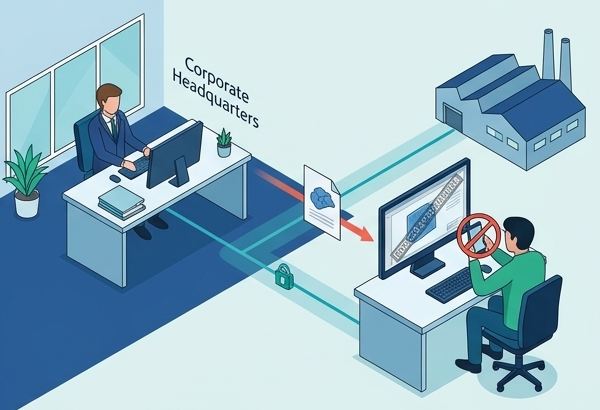
Scenario: A manufacturing company sending 3D CAD files or design blueprints to overseas OEM factories or outsourced designers.
Key Highlights:
- Application Screen Watermarks: When external vendors view files using their native applications, dynamic screen watermarks are forced directly onto the application screen.
- Leak Traceability: Even if a vendor attempts to take a photo of the screen with a smartphone, the watermark precisely traces the source of the leak while they use the original application under control.
Time-Sensitive Tendering (Precise Document Lifecycle Management)
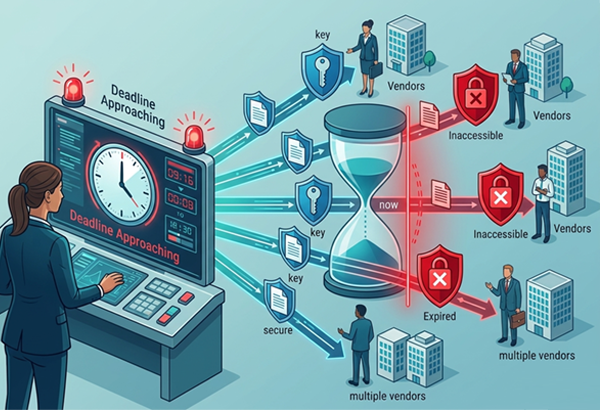
Scenario: A company sends out tender specifications to multiple vendors, requiring submissions before a strict deadline.
Key Highlights:
- Seamless Integration: Integrates flawlessly into your existing Curtain e-locker environment.
- Time Control: Utilize Time Control limits to ensure tender documents automatically expire and become inaccessible the moment the deadline passes, preventing indefinite retention or secondary leaks of outdated files.
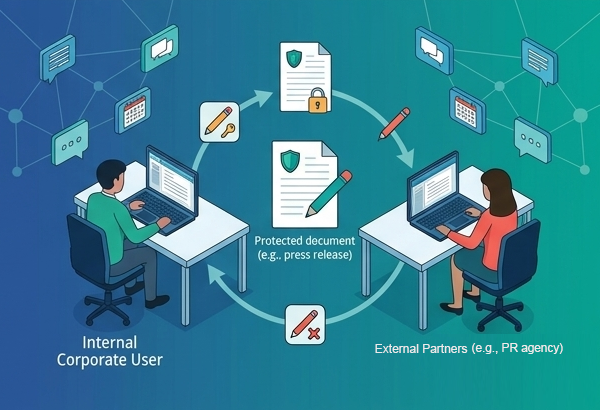
Dynamic Project Teams (Controlled Two-Way Collaborative Editing)
Scenario: Your company is co-authoring an upcoming press release with an external PR agency and requires back-and-forth edits.
Key Highlights:
- Secure Two-Way Editing: Enable the “Allow edit and send file back” feature, allowing the PR agency to edit using native Word and return the file securely.
- Real-time Revocation: Once the document is finalized, the publisher can instantly change the permission to “Read-only” in the cloud. The next time the external user opens the file, the editing rights are revoked, ensuring final version integrity.

Feel Interested? Contact Us For Details.